GitHub has become more than just a platform for hosting code it’s now a digital portfolio for developers, a place where your contributions, collaborations, and skills are put on display for the world to see.
With millions of active users, it’s a powerful tool, but like all things in the digital age, it’s not immune to manipulation.
In this blog series, we’ll dive into the less talked-about side of GitHub: how individuals can use the platform’s features to deceive others.
Whether it’s inflating stats to appear more experienced or creating an entirely fake persona, the methods used to manipulate GitHub profiles are more common and more sophisticated than you might think.
Throughout this series, we’ll break down the tactics bad actors use to game the system, and how you can spot these red flags to protect yourself and your projects. Stay with us as we uncover these deceptive practices and explore how they can impact the trust and credibility that GitHub is built on.
Organization Membership #
Let’s face the unfortunate truth, a user working in a well-known organization, such as Amazon or Google, will give us a more trustworthy feeling.
But the organization can be controlled by the user in the settings.
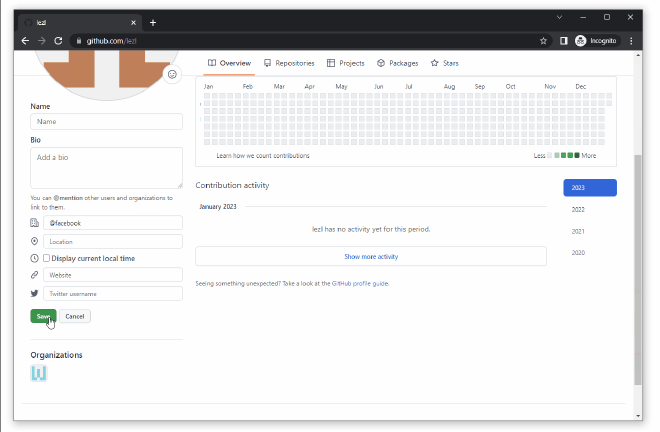
The verification symbol does not verify whether you work in that company but only proves that the company’s domain is verified.
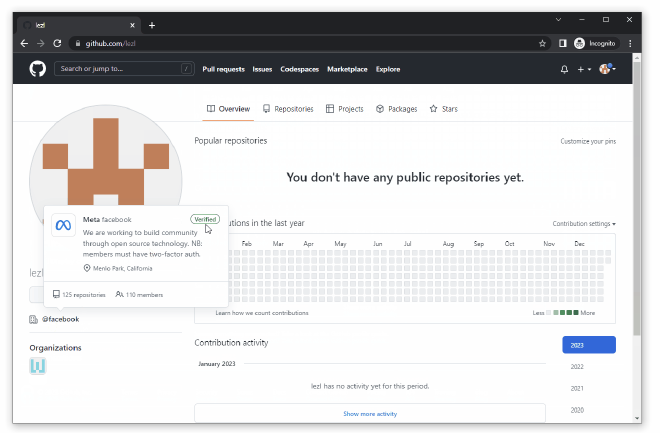
Congratulations on your new role at Facebook, Twitter, or any other company in the world, both verified and not!
GitHub Achievements #
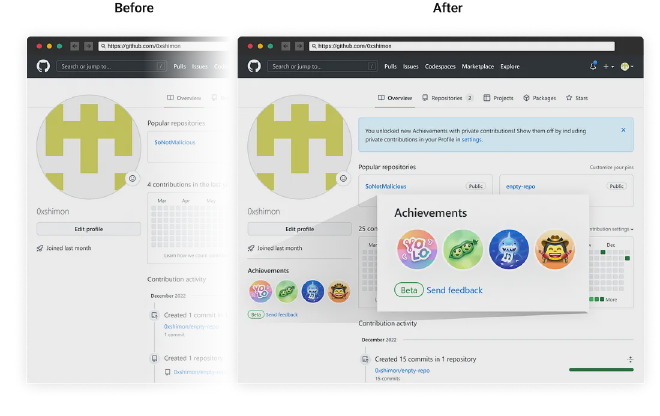
You must have seen those shiny badges on the bottom of the profile, indicating some extraordinary activity on your GitHub account. Those achievements probably make you believe that the user has done something unusual to earn them, or, at least, has been active for long enough and written enough code to achieve them.
Unfortunately, that section can be spoofed as well by threat actors. Using the GitHub API and simple automation, you can achieve all the badges within a few seconds or the golden level of them within an hour.
Using open source tools you can easily accomplish this. Here is an example that I used https://github.com/TukoG/spoofgit
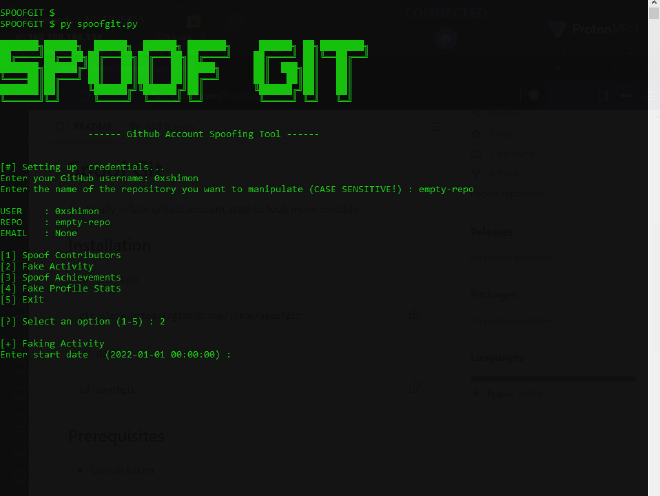
Before and after a newly created profile achieve the badges via script in a couple of minutes
Contribution Activity #
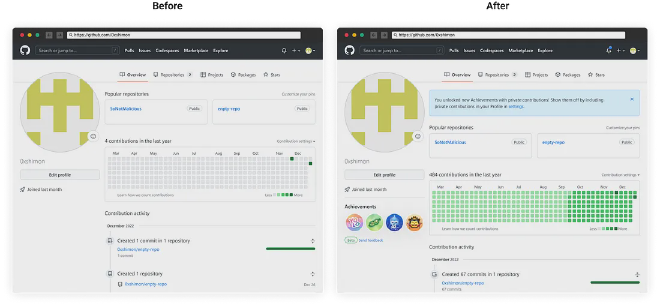
An active user who maintains his projects regularly, adding lots of code contributions gives you a trustworthy feeling. You would choose to use a project that has been daily updated for each day throughout a few years rather than using a project that was last updated 6 years ago, or one that has just been created.
Luckily for us, there is no need to be active! All you should do is manipulate the commit date, and GitHub will present it as if you were active 24/7/365, including Saturdays and Holidays. A bad actor can customize the activity to look more realistic using the repo above.
Add Celebrity Contributors #
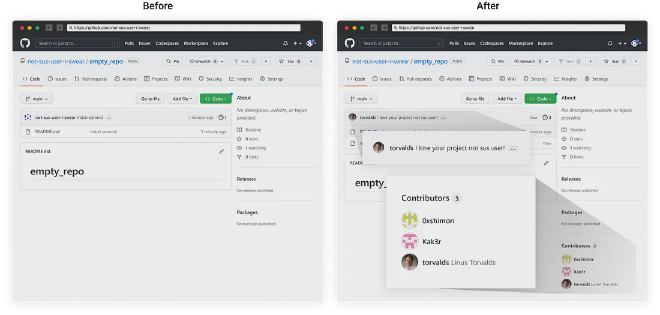
Like Instagram or TikTok, GitHub has its own celebrities. Would it not be an incredible opportunity to work with Linus Torvalds or Samy Kamkar? Well, now you Can!
All you need to do is to add the desired contributor to the commit, and suddenly he becomes one! All you need to know is their github username.
Stats In Your Profile #
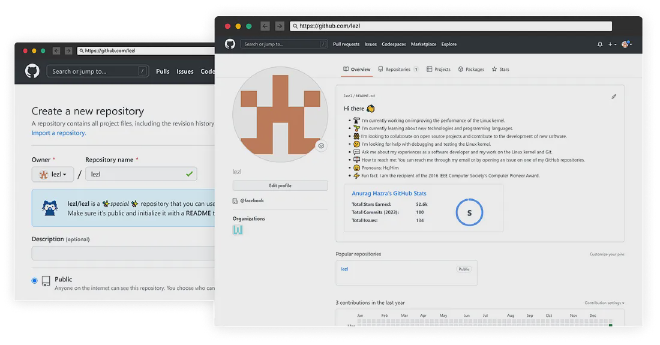
When you create a repository on GitHub with the same name as your username, the README.md file within that repository will be displayed on your profile page. Some users use this space to show off various statistics about themselves.
However, because anyone can write whatever they want in this file, there is no way to verify if the information or statistics displayed are accurate or true.
Conclusion #
It took us less than 10 minutes to establish a credible-looking profile, one which will make headhunters and recruiters send you a connect invite on LinkedIn and will not raise any suspicions when posting a malicious code or asking to contribute to a popular open-source project.
You can try these techniques to see for yourself how easy it is to make a newly created GitHub and make it appear extraordinary.
But beware! the same way you can manipulate your GitHub information to make your profile more attractive can also be used by attackers, be cautious when handing maintainer access to your GitHub repository to strangers or using their code.
Real World Examples of Attackers abusing this: #
On July 25, 2024, MonoSwap (@monoswapio) was hacked.
The attack occurred because a MonoSwap developer, during a meeting with a fake venture capital entity the previous day, installed malware on their computer.
The phishing site was professionally designed and linked to a corresponding GitHub project where the hackers had artificially inflated the Watch, Fork, Contributors and Star metrics to make the fake project seem credible, making the developers to take the bait and eventually getting hacked.